Atmosphere

SARASOTA / AI ASSISTANTS & AUTOMATION

AI automation in Sarasota.
Keep inquiries moving.

AI assistants and connected workflows for Sarasota teams. We help organize new inquiries, answer approved questions, and pass the right information to the person who can help.

BASED IN SARASOTA · SERVING SARASOTAA CONFIGURED WORKFLOW, FROM REQUEST TO HANDOFF

WATCH · 3½ MINUTES

Nothing slips
through.

What AI can take off your plate, from missed calls to busywork, how we set it up around the way you already work, and what you see in Nexvato OS.

Plan your AI setup
Read the transcript

Growing a business used to mean hiring for every job: someone to answer the phone, someone to follow up with leads, someone to book the appointments. Each of those roles can cost fifty to a hundred thousand dollars a year.

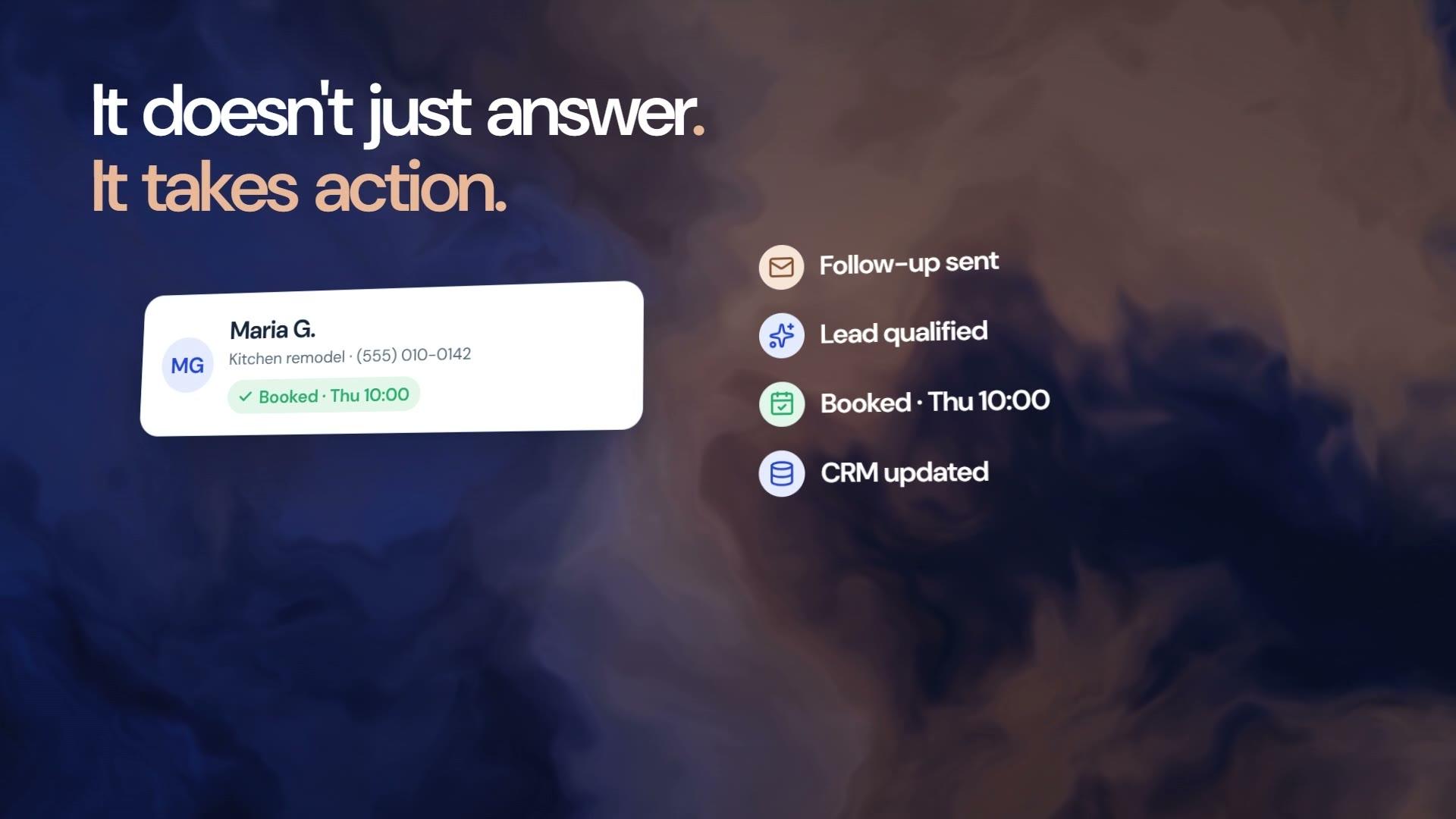
Now AI can take on much of that work, day and night, for a fraction of the cost, so more of your money goes back into growing your business. It never needs overtime, it never calls in sick, and as you get busier, it handles more conversations without another hire. And it doesn't just answer questions. It takes action: it follows up, qualifies the lead, books the appointment and updates your CRM.

When a call goes to voicemail, that customer doesn't wait for a call back. They call the next business on the list. Research published in Harvard Business Review found that businesses that respond to a lead within an hour are nearly seven times as likely to qualify it.

With AI answering your phone, every call gets picked up, after hours and on weekends. It talks with the customer, books the appointment, and can even close the sale. And if they're not ready yet, it follows up until they are, so no lead goes cold because someone forgot to call back.

On your website, it greets every visitor, answers their questions, and suggests the next product or service they'll want. It can even reach back out to past customers and old leads, and bring them back for the next job. And behind the scenes, it runs the repeat work: follow-ups, reminders, and the details your team copies from one tool to another. That's hours back every week for your team, for the work only people can do.

Put it all together: more calls answered, more leads followed up, more appointments booked, and more sales. That's more revenue coming in, and less spent to bring it in.

That's where Nexvato comes in. We set up AI across your business, built around the way you already work.

We can set up an AI receptionist that answers every call, a website chat that answers from your own information, and sales and appointment assistants that keep every lead moving. We connect your CRM, your calendar and your email, so the busywork runs itself. And for the jobs that are unique to your business, our engineers build custom AI systems.

We start by finding where AI will save you the most, and where it will bring in the most revenue. Then we map the work, give it the right information, connect your tools, and test it on real conversations. And you approve how it talks before it ever talks to a customer.

It all runs in Nexvato OS, where you can see every conversation, every lead, and everything your AI has done.

The engineers who built Nexvato OS build your AI. Here's what a few of our clients say about working with us.

Find out how much AI can take off your plate. We'll show you where it can save you money, and where it can grow your revenue. Book a free consultation at nexvato.com.

01

Start with a useful job

Choose the work you want off your list.

We look at the questions your team answers and the tasks they repeat. Then we agree on one practical starting point, what the assistant can do, and when a person should take over.

  • Customer inquiries, follow-ups, or internal admin
  • The trigger, required information, and desired result
  • A defined scope and responsibilities

You get: A workflow plan and a clear list of what we will build.

02

Your information & instructions

Give it the right information to work with.

We organize your services, FAQs, documents, and response guidelines into a useful knowledge base. The assistant gets instructions for your business, including what to do when it does not have an answer.

  • Approved business information and source documents
  • Brand voice, response examples, and boundaries
  • A plan for keeping information up to date

You get: A configured assistant with reviewed knowledge and sample conversations.

03

Apps, data & infrastructure

Connect the steps your team repeats.

We connect supported tools so a request can lead to a useful next step: a contact record, a task, an appointment, or a draft for review. We confirm access, provider setup, and what each connection actually supports.

  • CRM, calendar, helpdesk, and supported messaging connections
  • Triggers, conditions, waits, and actions
  • Permissions, usage limits, and failure handling

You get: The agreed connections and workflows, tested before activation.

04

Testing, handoff & ongoing care

Make it useful for the people using it.

We test realistic questions and edge cases, show your team how to use the setup, and agree on how it will be maintained. Conversation history and workflow activity help us review what needs attention.

  • Test cases, escalation rules, and human handoffs
  • Team training and operating instructions
  • Knowledge updates and workflow reviews in your support scope

You get: A tested setup, a team handoff, and an agreed support plan.

Sarasota / THE PLAN FOR YOUR BUSINESS

Start with one conversation your team repeats every day.

For a Sarasota appointment or service business, the useful first automation may be collecting the service requested and preferred time, not replacing the whole front desk. We document the workflow, check your existing tools, and agree which answers the assistant may give before connecting it to customer conversations.

Based in Sarasota. Working with your team.

Use approved business information

We organize service descriptions, hours, policies, and escalation rules into a maintained source. If availability or coverage differs for customers outside Sarasota, the assistant needs explicit instructions rather than guessing.

Check scheduling before promising appointments

A supported integration can look up or request a time. If the connection cannot confirm a booking reliably, the assistant should collect preferences and tell the customer that your team will confirm.

Keep a person in charge

We test handoffs, missing information, and failed connections. The scope defines who reviews conversations, who can change the assistant's knowledge, and which sensitive or unusual requests must go to your staff.

Illustrative project scope / not a client result

An assistant for after-hours appointment inquiries

For a Sarasota practice or studio that receives questions after closing, a first release could answer approved practical questions and collect a booking request. It would not offer professional advice or invent appointment availability.

  1. Confirm the requested service and preferred contact details.

  2. Save the request in the approved system with conversation context.

  3. Send it to the responsible team member for confirmation.

SEE HOW THE PIECES WORK TOGETHER

One request.
A useful next step.

Three examples, step by step. Each setup is configured around your business, your information, and the tools you use.

EXAMPLE 01 · CUSTOMER INQUIRY

“Do you offer this service in my area?”

A website visitor needs an answer and a way to speak with your team.

01 / QUESTION

Receive the inquiry

The configured website agent collects the question.

02 / KNOWLEDGE

Check your service information

Use the approved services, FAQs, and coverage details.

03 / CONNECTION

Keep the context

Capture the agreed contact details in the connected CRM.

04 / HANDOFF

Give the team a next step

Route the inquiry or create a follow-up task.

EXAMPLE 02 · TEAM REQUEST

“Which open inquiries need a follow-up?”

A team member needs a useful summary of the work already in the system.

01 / REQUEST

Ask the assistant

A team member asks within their business workspace.

02 / CONTEXT

Review accessible records

Use the available contacts, deals, and task information.

03 / SUMMARY

Organize the next actions

Summarize the relevant records and suggested next steps.

04 / TEAM REVIEW

Decide what to do

The team reviews the suggestion and opens the relevant record.

EXAMPLE 03 · FOLLOW-UP WORKFLOW

“Help me plan a follow-up for new inquiries.”

A repeatable sequence helps the team keep track of what happens after the first conversation.

01 / BRIEF

Describe the workflow

Agree on the trigger, timing, and desired outcome.

02 / DRAFT

Build the steps

Prepare the conditions, waits, tasks, and supported actions.

03 / REVIEW

Check before activation

Review the messages, permissions, and provider connections.

04 / ACTIVITY

Review completed runs

Use saved activity to check outcomes and resolve exceptions.

Illustrative workflows, not a live assistant. Connections and actions depend on the agreed setup.

WHAT WE CAN BUILD

Help for your customers.
Support for your team.

Start with the service that solves a real problem. We confirm the tools, channels, and scope before building it.

ANSWER COMMON QUESTIONS

Customer support agents

Help customers find service information, answer common questions, and pass more complex requests to your team with context.

  • Business-specific answers and conversation history
  • Supported chat and messaging channels
  • Language needs reviewed and tested for your audience
Explore this service

ORGANIZE THE NEXT STEP

Sales & appointment assistants

Collect the details you need from a lead, check fit against your criteria, and connect the conversation to a supported booking or follow-up process.

  • Lead qualification and CRM updates
  • Calendar connections and appointment workflows
  • Follow-up sequences configured for your sales process
Explore this service

PUT YOUR INFORMATION TO WORK

Web chat & knowledge bases

Add a branded website chat experience that uses your approved information. Review the questions people ask and improve the material behind the answers.

  • Website chat and relevant source content
  • Services, FAQs, and internal documentation
  • Knowledge gaps and conversation reviews
Explore this service

HELP WITH INCOMING CALLS

AI receptionist

Configure a voice agent to answer agreed questions, capture caller details, and route the next step. Phone numbers, channel access, and usage are set up for your business.

  • Business greetings and call instructions
  • Inquiry capture and supported booking actions
  • Call history and transfer or handoff rules
Explore this service

REDUCE REPEAT ADMIN

Admin & task assistants

Build support for the email, calendar, document, and data-entry work that takes time from your team. We define which actions can run and which need review.

  • Email drafts, scheduling, and task organization
  • Document extraction and structured information
  • Report or expense-processing workflows where supported
Explore this service

MAKE INFORMATION USABLE

Data processing bots

Turn incoming files or records into consistent information for your systems. We define the fields, validation checks, and how exceptions get reviewed.

  • Data extraction, cleanup, and validation
  • Classification, transformation, and batch processing
  • Supported system updates and exception reports
Explore this service

SUPPORT YOUR SALES TEAM

Business development workflows

Organize prospect research, pipeline information, and follow-up tasks. Use agreed data sources and review rules so your team can focus on suitable opportunities.

  • Research and lead qualification workflows
  • Outreach drafts and follow-up planning
  • Pipeline summaries and sales activity reviews
Explore this service

A workflow that does not fit a template?

We can assess your existing software, APIs, and data to scope a custom integration or application.

Explore custom software

AI INFRASTRUCTURE · FOR LARGER BUILDS

Beyond assistants.
Custom AI systems, engineered in-house.

Some work needs more than one assistant. Our development teams design and build complete AI systems: agents that carry out multi-step work across your tools, knowledge layers built on your data, and the permissions, review steps and monitoring that keep them dependable.

  • Agentic workflows
  • Knowledge & retrieval
  • Custom integrations
  • Guardrails & monitoring

The same teams built Nexvato OS, our AI-powered business platform.

THE SETUP BEHIND THE ASSISTANT

The right information.
The right connections.

An assistant needs more than a prompt. We put the supporting pieces in place and make the setup understandable for your team.

Knowledge you can maintain

Approved documents, FAQs, service details, and instructions. We show your team where updates belong so answers can reflect the business as it changes.

Connections with a purpose

CRM, email, calendars, helpdesk, and supported SMS or voice services. We configure the agreed actions and confirm provider access and usage requirements.

Control over the work

Define what runs automatically, what needs review, and what goes to a person. Activity records, exception handling, and agreed support keep the workflow manageable.

Based in Sarasota. Helping Sarasota businesses connect their systems and reduce repetitive work.

nexvato OSYOUR BUSINESS WORKSPACE

What needs attention today?

AI Agents
CRM
Automations

People, information, and next steps in one workspace.

NEXVATO OS

The workspace.
And the team to set it up.

Use Nexvato OS to bring your CRM, customer agents, team assistant, and automation tools together. Bring us in to configure the services and workflows your business needs.

Software access, provider usage, custom development, and managed services are scoped separately.

Explore Nexvato OS

CLIENT WORK

Real client work.
In their own words.

Feedback on our website projects, SEO work and communication, and a few of the websites we’ve designed and built.

Hundreds of websites built

Google

I couldn't be happier with my new website. I interviewed many companies and chose Nexvato. Weekly meetings, a far more appealing site, and SEO optimization at a good price. Communication couldn't have been better.

Jade GonzalezGoogle review
Google

My company wouldn't be where it is today without Nexvato. Daltry and Jonathan were patient and made it easy to understand what it takes to be at the top of search engines.

Corey McKinleyGoogle review
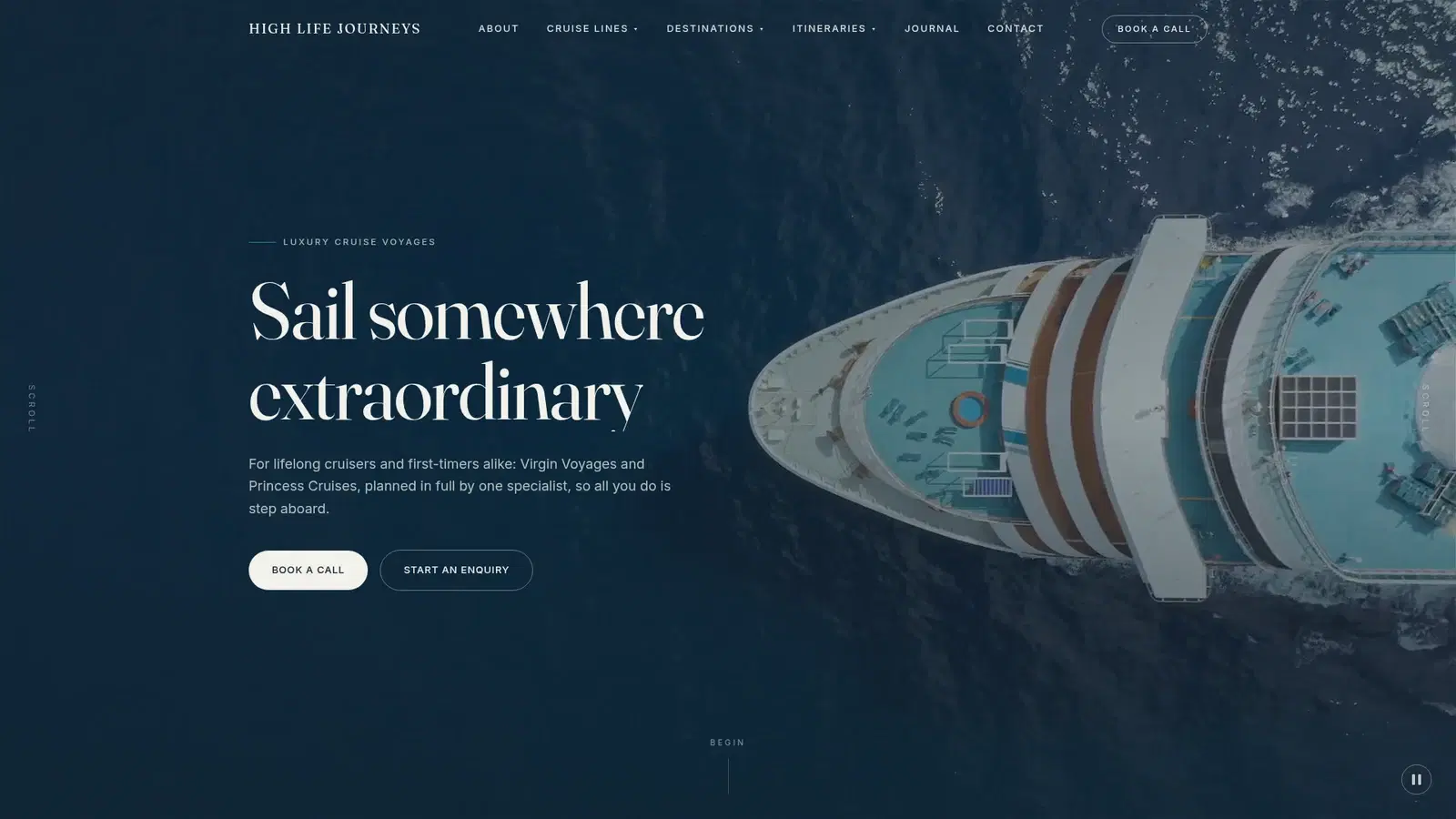
  • Luxury travel

    High Life Journeys

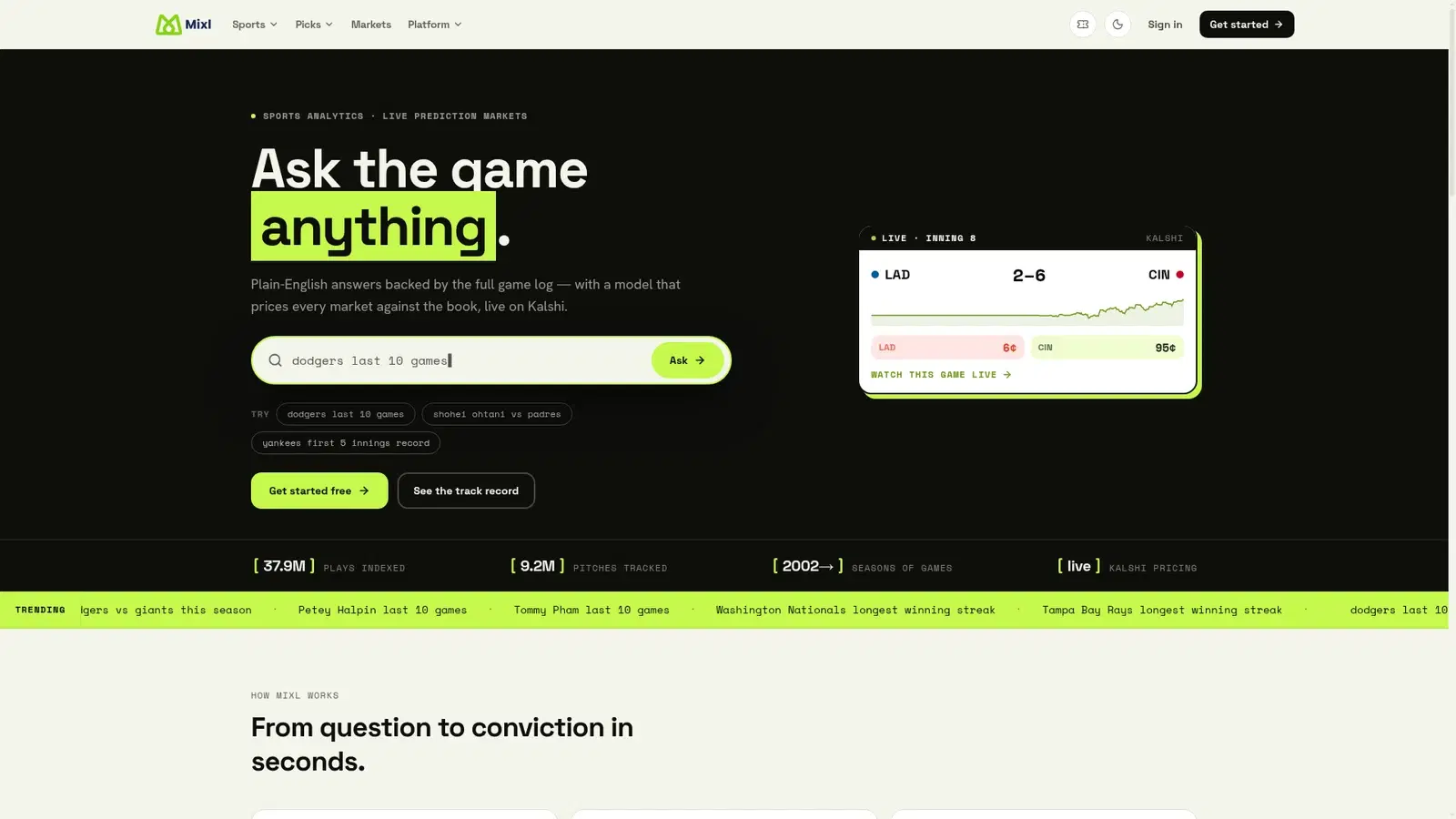
  • Sports technology

    Mixl

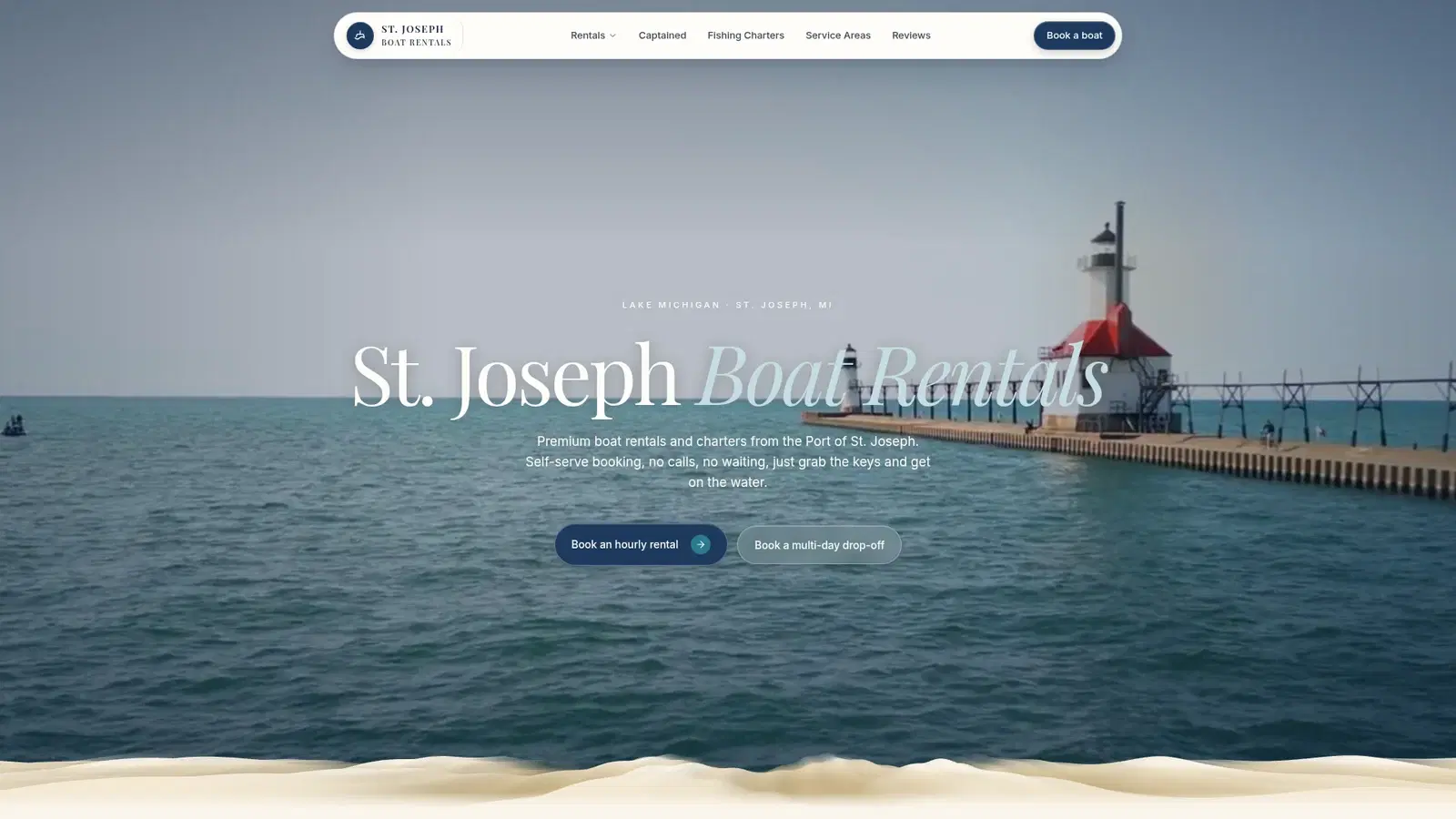
  • Travel & experiences

    St. Joseph Boat Rentals

  • Health & wellness

    The Wellness Collective

See more of our website work

BEFORE WE BUILD

Questions about
AI for your business.

Setup, integrations, cost, and day-to-day use.

Can the assistant book into our existing calendar?

Only if the scheduling system supports a suitable connection and the booking rules can be enforced. We test permissions, availability, duplicate requests, and confirmations. Otherwise, we start with appointment requests that your staff confirms.

Do we need Nexvato OS to use an assistant?

No. We assess your current tools first. Nexvato OS can be part of the solution where it fits; another supported CRM or calendar may be appropriate. Software subscriptions, usage fees, and implementation are defined in the scope.

Who maintains it after launch?

We agree who owns content updates, monitoring, access, and escalation. Nexvato is based in Sarasota and can scope ongoing support, while your team retains responsibility for business decisions and information it approves.

BASED IN SARASOTA / WORKING NATIONWIDE

Explore our service areas.

Learn how we can support your business in each of our main Florida markets.

All services in Sarasota

LET’S START WITH YOUR BUSINESS

What does your team
keep doing by hand?

Show us the task, the tools, and the result you need. We will help you work out what is worth automating.