What Makes a High-Converting Website?

Understanding the science, psychology, and design principles that transform casual visitors into committed customers through data-driven strategies and user-centric experiences.

Discover the Key Elements
0Average Conversion Rate
0% Influenced by Design
0Seconds First Impression
0% ROI Potential Increase

The Psychology Behind Conversions

Understanding human behavior and decision-making processes is the foundation of creating websites that convert visitors into customers.

Cognitive Load Reduction

High-converting websites minimize the mental effort required to make decisions. Every additional choice increases the likelihood of decision paralysis. Successful sites guide users through a clear, streamlined path with minimal distractions, making the conversion process feel effortless and natural.

Social Validation

People naturally look to others when making decisions. Displaying testimonials, reviews, case studies, and trust badges leverages this psychological principle. When visitors see that others have successfully used your product or service, they feel more confident in their decision to convert.

Scarcity & Urgency

The fear of missing out drives action. Limited-time offers, countdown timers, and stock indicators create a sense of urgency that motivates visitors to act immediately rather than postponing their decision. This taps into our innate desire to avoid loss and regret.

Value Proposition Clarity

Visitors need to understand within seconds what you offer and why it matters to them. A compelling value proposition addresses their specific pain points and clearly articulates the benefits they'll receive. Clarity always trumps cleverness in conversion optimization.

Learn More About User Psychology

Essential Elements of High-Converting Websites

These fundamental components work together to create seamless user experiences that drive conversions and build lasting customer relationships.

🎯

Clear Value Proposition

Instantly communicate what you offer, who it's for, and why it matters within the first 3 seconds of page load.

Fast Load Speed

Pages loading in under 2 seconds see significantly higher conversion rates. Speed is a critical ranking factor and user experience element.

📱

Mobile Optimization

Over 60% of web traffic comes from mobile devices. Responsive design ensures seamless experiences across all screen sizes.

🔒

Trust Signals

SSL certificates, security badges, customer reviews, and professional design build credibility and reduce purchase anxiety.

🎨

Visual Hierarchy

Strategic use of size, color, contrast, and spacing guides visitors' attention to the most important elements and actions.

💬

Compelling Copy

Benefit-focused, action-oriented content that speaks directly to your audience's needs, desires, and pain points.

🚀

Strong CTAs

Clear, visible call-to-action buttons with action verbs that tell users exactly what will happen when they click.

📊

Data Analytics

Continuous tracking and analysis of user behavior enables informed optimization decisions based on real performance data.

🎬

Engaging Media

High-quality images and videos increase engagement by 80% and help visitors understand products better than text alone.

🔍

Easy Navigation

Intuitive menu structures and search functionality help users find what they need without frustration or confusion.

💳

Simple Checkout

Streamlined checkout processes with minimal form fields and multiple payment options reduce cart abandonment significantly.

🎁

Value Additions

Free shipping, guarantees, bonuses, and special offers increase perceived value and reduce barriers to conversion.

Learn more from official Google resources:

Google Web FundamentalsWeb.dev PerformanceGoogle SEO Guide
Get Your Website Audit

Building Trust & Credibility Online

Trust is the cornerstone of online conversions. Without it, even the most perfectly designed website will struggle to convert visitors into customers.

🏆 Social Proof

Customer testimonials, case studies, user reviews, and ratings provide validation from real people. Displaying logos of well-known clients or media mentions instantly elevates credibility.

🔐 Security Features

SSL certificates, secure payment badges, privacy policies, and data protection compliance signals reassure visitors that their information is safe with you.

✅ Guarantees

Money-back guarantees, satisfaction promises, and warranty information reduce perceived risk and make the buying decision easier for hesitant customers.

📞 Contact Information

Displaying phone numbers, physical addresses, and multiple contact methods shows transparency and builds confidence in your legitimacy as a business.

🎓 Expertise Display

Certifications, awards, years in business, and team credentials demonstrate authority and competence in your field, making visitors more likely to trust your solutions.

🌟 Professional Design

A modern, polished website design signals professionalism and attention to detail. Poor design creates doubt about the quality of your products or services.

Speed & Performance: The Conversion Catalyst

Website speed directly impacts your bottom line. Every second of delay can cost you valuable conversions and revenue.

The Need for Speed

Page speed is not just a technical metric—it's a critical business factor. Research shows that 53% of mobile users abandon sites that take longer than 3 seconds to load. Amazon found that every 100ms of latency cost them 1% in sales. Google uses page speed as a ranking factor, meaning faster sites get more organic traffic.

47%Expect load in 2 seconds
40%Abandon after 3 seconds
1 secDelay = 7% less conversions

Performance Optimization Techniques

Implementing these proven strategies can dramatically improve your website's loading speed and overall performance:

  • Image optimization and compression using next-gen formats like WebP
  • Content Delivery Network (CDN) implementation for global speed
  • Browser caching to reduce repeat visitor load times
  • Minification of CSS, JavaScript, and HTML files
  • Lazy loading for images and videos below the fold
  • Reducing server response time through better hosting

Core Web Vitals

Google's Core Web Vitals are essential metrics that measure real user experience:

  • Largest Contentful Paint (LCP): Should occur within 2.5 seconds
  • First Input Delay (FID): Should be less than 100 milliseconds
  • Cumulative Layout Shift (CLS): Should be less than 0.1
  • Regular monitoring using Google PageSpeed Insights
  • Mobile performance optimization is critical
  • Continuous testing and improvement cycles

Test your website speed with Google's tools:

PageSpeed InsightsCore Web VitalsGoogle Speed Tools
Optimize Your Website Speed

User Experience Principles That Convert

Exceptional user experience removes friction, builds confidence, and guides visitors naturally toward conversion actions.
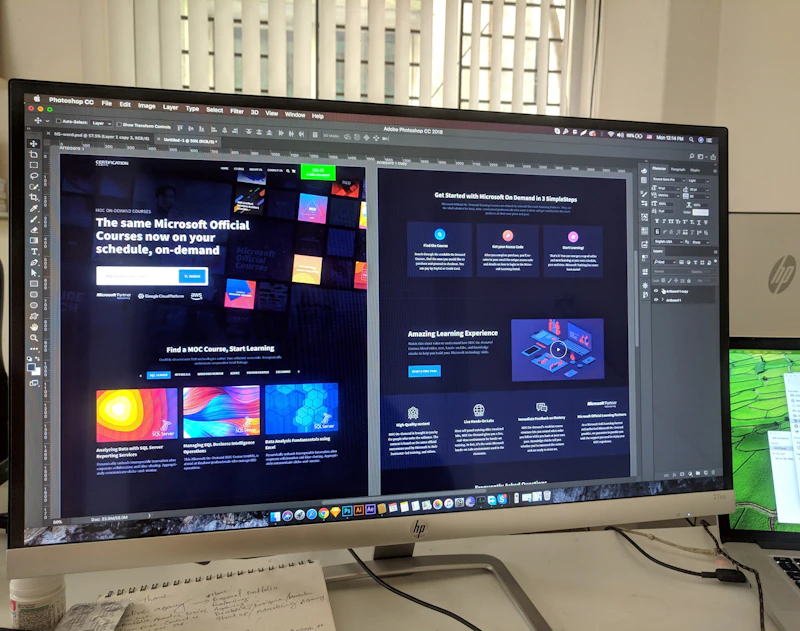
User Experience Design

Creating Friction-Free Experiences

Every element on your website should serve a purpose and guide users toward their goals. Great UX is invisible—users don't notice it because everything works exactly as they expect.

  • Intuitive navigation that users can understand immediately
  • Clear information architecture organized by user needs
  • Consistent design patterns throughout the entire site
  • Accessible design for users of all abilities
  • Mobile-first approach for touch-friendly interactions
  • Progressive disclosure to avoid overwhelming users

The Five-Second Rule

Within five seconds of landing on your website, visitors should be able to answer these critical questions clearly:

  • What does this website offer?
  • How will it benefit me specifically?
  • What action should I take next?
  • Why should I trust this business?
  • Is this relevant to my current needs?
  • Can I easily find what I'm looking for?
User Research and Testing
Improve Your UX Design

Mobile Optimization: Non-Negotiable for Conversions

With mobile commerce expected to account for over 70% of all ecommerce sales, mobile optimization is no longer optional—it's essential.

📱

Responsive Design

Your website must automatically adapt to any screen size, providing optimal viewing and interaction experiences. This includes fluid grids, flexible images, and CSS media queries that ensure your content looks perfect on smartphones, tablets, and desktops.

👆

Touch-Friendly Elements

Buttons and clickable elements should be at least 44x44 pixels to accommodate finger taps. Adequate spacing between interactive elements prevents accidental clicks and improves user satisfaction significantly.

Mobile Page Speed

Mobile users are even more impatient than desktop users. Optimize images specifically for mobile, minimize code, and leverage AMP (Accelerated Mobile Pages) for lightning-fast loading on mobile networks.

📝

Simplified Forms

Mobile forms should be streamlined with minimal fields, appropriate input types, and autofill capabilities. Every unnecessary field increases friction and reduces conversion rates on mobile devices.

🔍

Readable Typography

Font sizes should be at least 16px for body text to ensure readability without zooming. Line height and contrast are equally important for comfortable reading on smaller screens.

🎯

Clear CTAs

Call-to-action buttons must be prominent, easy to tap, and positioned where thumbs naturally rest. Sticky CTAs that remain visible while scrolling can significantly boost mobile conversions.

Google's mobile-friendly resources:

Mobile-Friendly TestMobile SEO Guide

Persuasive Copywriting That Converts

Words have power. The right message delivered at the right time can be the difference between a bounce and a conversion.

1

Benefits Over Features

Focus on how your product improves lives rather than listing specifications. People buy outcomes, not features.

2

Clear Headlines

Your headline should communicate your core value proposition instantly. It's often the only thing visitors read.

3

Action Verbs

Use powerful, specific verbs that inspire action. "Get Started" converts better than "Submit" or "Click Here."

4

Address Objections

Anticipate concerns and address them proactively in your copy. Remove doubts before they become barriers.

5

Create Urgency

Give people a reason to act now. Limited-time offers and scarcity messaging drive immediate action.

6

Social Proof

Incorporate testimonials and statistics naturally. "Join 10,000+ happy customers" is more persuasive than generic claims.

7

Scannable Format

Use short paragraphs, bullet points, and subheadings. Most visitors scan rather than read word-for-word.

8

Emotional Connection

Appeal to emotions first, logic second. People make decisions emotionally and justify them rationally.

The AIDA Formula for Conversion Copy

A

Attention

Grab interest with compelling headlines

I

Interest

Build curiosity with relevant benefits

D

Desire

Create want through emotional appeal

A

Action

Drive conversion with clear CTAs

Transform Your Copy

Visual Hierarchy & Design Principles

Strategic design guides visitors' eyes exactly where you want them to look, creating a natural flow toward conversion points.

Size & Scale

Larger elements naturally draw more attention. Your most important conversion elements—headlines, CTAs, and key benefits—should be the most prominent on the page.

Color & Contrast

High contrast between background and foreground improves readability. Strategic use of brand colors directs attention to important actions without overwhelming the design.

White Space

Adequate spacing around elements improves comprehension by up to 20%. White space makes designs feel premium and content easier to digest.

Typography Hierarchy

Clear distinction between heading levels, body text, and captions creates structure. Consistent typography builds trust and improves readability significantly.

Visual Flow

F-pattern and Z-pattern layouts match natural reading behaviors. Designing with these patterns ensures critical information appears where eyes naturally look.

Strategic Imagery

Images of people looking at or pointing toward CTAs increase conversions. Directional cues guide attention toward desired actions subtly but effectively.

Enhance Your Design

Call-to-Action Strategies That Work

Your CTA buttons are the gateways to conversions. Optimizing them can dramatically increase your conversion rates.

🎯

Action-Oriented Text

Use first-person language like "Start My Free Trial" instead of "Start Your Free Trial" for higher engagement.

🎨

Contrasting Colors

CTA buttons should stand out visually. Test colors that contrast with your design while staying on-brand.

📏

Appropriate Size

Make CTAs large enough to notice but not so large they overwhelm. The button should feel important.

📍

Strategic Placement

Position CTAs above the fold and at natural decision points throughout your content journey.

Create Urgency

Add time-sensitive language like "Limited Offer" or "Today Only" to encourage immediate action.

🔄

Multiple Opportunities

Include CTAs at multiple points—hero section, mid-content, and footer—for different engagement levels.

📱

Mobile Optimization

Ensure buttons are thumb-friendly on mobile devices with adequate tap targets and spacing.

🧪

A/B Testing

Continuously test button colors, copy, size, and placement to find what resonates with your audience.

Optimize Your CTAs Now

Data-Driven Optimization & Testing

Successful high-converting websites are built on continuous testing, measurement, and refinement based on real user data.

Essential Analytics Tracking

Understanding user behavior requires comprehensive tracking of key metrics and interactions:

  • Conversion rates by traffic source and landing page
  • User flow analysis to identify drop-off points
  • Heatmaps showing where users click, scroll, and hover
  • Session recordings to watch real user interactions
  • Form analytics to optimize field completion rates
  • Exit pages to understand where users leave your site

A/B Testing Strategy

Systematic testing eliminates guesswork and reveals what actually drives conversions:

  • Test one variable at a time for clear insights
  • Run tests long enough to reach statistical significance
  • Start with high-impact elements like headlines and CTAs
  • Document all test results for institutional knowledge
  • Implement winning variations and continue testing
  • Use multivariate testing for complex page optimization

Conversion Funnel Analysis

Map the complete customer journey to identify and fix conversion bottlenecks:

  • Track each step from first visit to final conversion
  • Calculate drop-off rates between funnel stages
  • Identify pages with highest exit rates
  • Optimize the highest-traffic, lowest-converting pages first
  • Create targeted interventions for abandonment points
  • Monitor funnel performance across different segments

Key Performance Indicators

Monitor these critical metrics to gauge website conversion effectiveness:

  • Overall conversion rate and revenue per visitor
  • Bounce rate and average session duration
  • Pages per session and return visitor rate
  • Cart abandonment rate for ecommerce sites
  • Lead quality scores and sales-qualified leads
  • Customer lifetime value from different channels

Google's analytics and testing tools:

Google AnalyticsGoogle OptimizeGoogle Tag Manager
Start Optimizing With Data

Industry Conversion Rate Benchmarks

Understanding industry standards helps you set realistic goals and identify opportunities for improvement.

2.35%Average Website Conversion
3.68%Ecommerce Average
5-10%Top Performing Sites
69.8%Average Cart Abandonment
15%+Email Marketing Conversion
4.40%Social Media Average
10.3%Finance Industry Average
$260BLost to Cart Abandonment

Every industry has different benchmarks. The key is continuous improvement over your own baseline, not just matching industry averages.

Benchmark Your Performance

Common Conversion Killers to Avoid

Even small mistakes can have massive impacts on your conversion rates. Eliminate these common pitfalls to maximize your results.

🐌

Slow Loading Speed

Every second of delay reduces conversions by 7%. Optimize images, minimize code, and use fast hosting.

🔀

Poor Navigation

Confusing menus and unclear paths frustrate users. Make it crystal clear how to find information.

📱

Non-Mobile Friendly

Over 60% of traffic is mobile. Sites that don't work well on phones lose massive conversion potential.

Unclear Value Prop

If visitors can't understand what you offer in 5 seconds, they'll leave. Be crystal clear upfront.

📝

Complex Forms

Long forms with unnecessary fields kill conversions. Only ask for information you absolutely need.

🎪

Too Many Distractions

Cluttered designs with competing CTAs confuse visitors. Maintain clear visual hierarchy and focus.

🔒

Lack of Trust Signals

Without security badges, testimonials, and guarantees, visitors hesitate to convert or purchase.

💰

Hidden Costs

Surprise shipping fees or hidden charges at checkout cause 48% of cart abandonment cases.

🖼️

Poor Image Quality

Low-resolution or irrelevant images damage credibility and fail to showcase products effectively.

📞

Hard to Contact

Hiding contact information creates distrust. Make it easy for customers to reach you.

🎯

Weak CTAs

Generic buttons like "Submit" or "Click Here" don't inspire action. Be specific and compelling.

🚫

Auto-Playing Media

Videos or audio that play automatically annoy visitors and increase bounce rates significantly.

Fix Your Conversion Killers

Frequently Asked Questions

Get answers to common questions about creating and optimizing high-converting websites.

What is considered a good website conversion rate?
+
The average website conversion rate across industries is around 2.35%, but this varies significantly by industry, traffic source, and business model. Ecommerce sites average 3.68%, while top performers achieve 5-10% or higher. Rather than focusing solely on industry benchmarks, concentrate on improving your own baseline conversion rate through continuous testing and optimization. Even small improvements can significantly impact revenue.
How long does it take to see results from conversion optimization?
+
Quick wins like improving page speed or fixing broken checkout flows can show results within days. However, comprehensive conversion optimization is an ongoing process. Most A/B tests require 2-4 weeks to reach statistical significance. Building a truly high-converting website typically takes 3-6 months of consistent testing, learning, and refinement. The key is to start with high-impact changes and gradually optimize additional elements over time.
Should I focus on mobile or desktop conversion optimization first?
+
Always start with a mobile-first approach. Over 60% of web traffic comes from mobile devices, and Google uses mobile-first indexing for search rankings. Mobile users behave differently than desktop users—they have less patience, smaller screens, and different interaction patterns. Optimize your mobile experience first, then enhance it for larger screens. A responsive design ensures your site works seamlessly across all devices.
What tools do I need for conversion optimization?
+
Essential tools include Google Analytics for traffic analysis, heatmap tools like Hotjar or Crazy Egg to understand user behavior, A/B testing platforms like Google Optimize or Optimizely, and session recording software to watch real user interactions. Google PageSpeed Insights helps monitor performance, while Google Search Console tracks SEO metrics. Start with free tools and invest in paid solutions as your optimization efforts mature and ROI becomes clear.
How important is website speed for conversions?
+
Website speed is critically important—it's one of the highest-impact factors for conversions. Research shows that 47% of consumers expect pages to load in 2 seconds or less, and 40% abandon sites that take more than 3 seconds. Amazon found that every 100ms of latency cost them 1% in sales. Google also uses page speed as a ranking factor. Prioritize speed optimization by compressing images, minimizing code, using CDNs, and choosing quality hosting.
What's the difference between conversion rate and conversion rate optimization?
+
Conversion rate is a metric—the percentage of visitors who complete a desired action (purchase, signup, download). It's calculated as (conversions ÷ visitors) × 100. Conversion Rate Optimization (CRO) is the systematic process of increasing that percentage through testing, analysis, and improvements. CRO involves understanding user behavior, identifying friction points, hypothesizing improvements, testing changes, and implementing winning variations. It's an ongoing practice, not a one-time project.
How many elements should I test at once?
+
For A/B testing, change one element at a time to clearly understand what drives results. Testing multiple changes simultaneously makes it impossible to determine which specific change caused the outcome. However, multivariate testing allows you to test multiple elements together if you have sufficient traffic volume. Most businesses should start with simple A/B tests on high-impact elements like headlines, CTAs, and images before advancing to more complex multivariate tests.
Do I need a complete website redesign to improve conversions?
+
Not necessarily. While complete redesigns can be beneficial, they're risky and expensive. Often, strategic improvements to existing pages yield better results faster. Start by identifying your highest-traffic, lowest-converting pages and optimize those first. Small changes like improving headlines, strengthening CTAs, adding social proof, or simplifying forms can dramatically increase conversions without touching the overall design. Only consider full redesigns when fundamental UX or technical issues exist.
How do I know what to test first?
+
Start by analyzing your data to find the biggest opportunities. Look for pages with high traffic but low conversions, high bounce rates, or significant drop-offs in your conversion funnel. Use heatmaps and session recordings to identify user frustration points. Prioritize tests based on potential impact and ease of implementation. Elements that typically have high impact include headlines, value propositions, CTAs, page speed, trust signals, and form fields. Test the highest-potential changes first.
Are there industry-specific conversion strategies?
+
Yes, while core principles apply universally, specific tactics vary by industry. Ecommerce sites benefit from product videos, size guides, and clear shipping information. B2B sites need detailed case studies, ROI calculators, and demo requests. Healthcare sites require trust signals, HIPAA compliance mentions, and easy appointment booking. SaaS sites should offer free trials, feature comparisons, and onboarding support. Research your industry's specific user expectations and optimize accordingly while maintaining fundamental best practices.
Get Expert Conversion Help

Ready to Transform Your Website Into a Conversion Machine?

Stop leaving money on the table. Let Nexvato's experts analyze your website and create a customized conversion optimization strategy that delivers measurable results.

Get Your Free Website AuditSchedule a Strategy Call

Sources: Google Web Fundamentals, Google Analytics, Web.dev, Google Search Central, Baymard Institute, Nielsen Norman Group, Forrester Research, Adobe Digital Index

Get Your Free Marketing Proposal

Share a few details about your business and objectives, and our team will craft a personalized growth plan focused on traffic, leads, and revenue growth.

Every recommendation is tailored to industry and built to scale your business.

Stay Ahead of the Curve

Get weekly insights on SEO, AI automation, and digital marketing trends delivered straight to your inbox.

Get Your Free Growth Strategy

Share your details and our experts will craft a custom roadmap to scale your business.

100% Free
No Obligation
Expert Advice

You're All Set!

Thank you! Our experts will reach out within 24 hours with your personalized growth strategy.